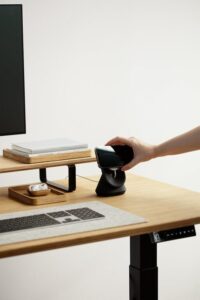

Creating a comfortable and productive home workspace is essential, especially as more people embrace remote work or flexible schedules. The right environment can influence your mood, focus, and efficiency. In this post, we’ll explore practical tips to help you set up a home office that feels cozy while promoting productivity.
Choosing the Right Location
Find a Quiet Spot
Start by selecting a quiet area in your home where you can work without distractions. This might be a spare room, a corner of your living room, or even a nook by a window. Avoid high-traffic zones where interruptions are likely.
Consider Natural Light
Natural light can improve your mood and energy levels. Position your desk near a window if possible, but be mindful of glare on screens. Use curtains or blinds to adjust light throughout the day.
Investing in Comfortable Furniture
Ergonomic Chair and Desk
Comfort is key for long work sessions. Invest in an ergonomic chair that supports your back and encourages good posture. A desk that fits your space and needs—whether adjustable or fixed height—will help maintain comfort.
Add Soft Textiles
Incorporate soft cushions, throws, or a small rug to make the area feel warm and inviting. These textures add a cozy touch without sacrificing professionalism.
Organizing Your Workspace
Declutter and Simplify
A clutter-free workspace reduces stress and distractions. Keep essential items within reach and store away anything you don’t use daily.
Use Storage Solutions
Shelves, bins, and drawer organizers help keep your workspace tidy. Label containers for quick access, and regularly review what you keep to avoid buildup.
Personalizing Without Overcrowding
Add Plants
Indoor plants not only improve air quality but also add a natural, calming element. Choose low-maintenance varieties like succulents or spider plants.
Display Inspirational Items
Photos, artwork, or motivational quotes can boost morale. Be selective so your space feels personalized but not cluttered.
Managing Technology Efficiently
Arrange Your Equipment Properly
Position your computer screen at eye level to prevent neck strain. Use keyboard and mouse pads if needed to support your wrists.
Reduce Cable Clutter
Use cable organizers or clips to keep cords neat and out of the way. This helps your desk look clean and prevents tangling.
Setting Boundaries and Routine
Define Work Hours
Set clear start and finish times to separate work from personal life. Communicate your schedule with household members to minimize disruptions.
Take Breaks
Incorporate short breaks to stretch, hydrate, or move around. This can prevent fatigue and keep you refreshed throughout the day.
Enhancing Lighting and Ambiance
Use Layered Lighting
Combine overhead lighting with task lamps to create balanced illumination. Adjust brightness according to the time of day and the tasks you’re doing.
Control Noise Levels
Consider noise-canceling headphones or a white noise machine if background sounds are distracting. Some gentle background music can also help focus for certain people.
Staying Motivated and Inspired
Change Your View
Occasionally rearranging your workspace or stepping outside for fresh air can spark creativity and motivation.
Celebrate Small Wins
Keep a checklist or planner to track progress and celebrate accomplishments, no matter how small. This practice encourages a positive mindset.
—
Creating a workspace that blends comfort with productivity doesn’t require a large budget or complex changes. By thoughtfully selecting your location, furniture, and organization, you can build an environment that supports your best work. Take the time to personalize the space to your taste, set boundaries, and maintain good habits. Your home workspace can become a place you enjoy and thrive in every day.