
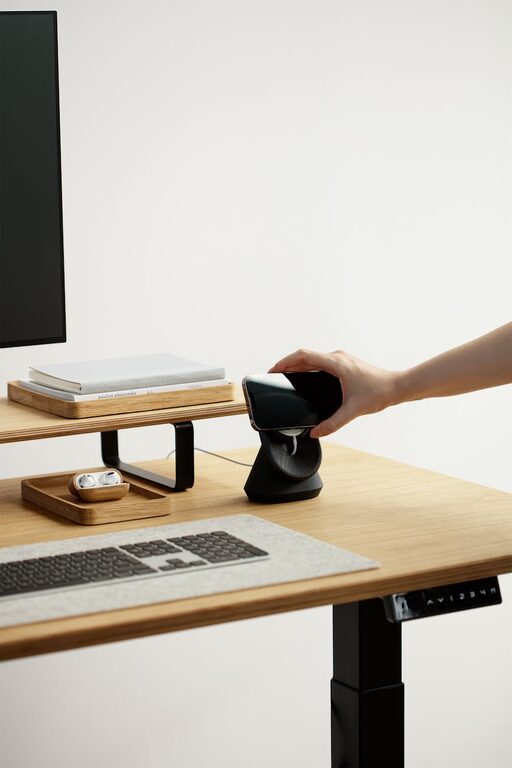
Creating a cozy and inviting home workspace is essential for anyone working remotely or spending significant time on projects at home. A well-designed workspace not only enhances comfort but also improves focus and productivity. Whether you have a dedicated room or just a small corner of a room, these tips will help you transform your area into a welcoming and efficient environment.
Choose the Right Location
Start by selecting a spot in your home that minimizes distractions. Ideally, this should be a quiet area away from high-traffic zones like the kitchen or living room. Consider natural light—choose a space near a window if possible, as daylight helps reduce eye strain and lifts your mood.
Invest in Comfortable Furniture
Comfort is key to making your workspace inviting. Choose an ergonomic chair that supports good posture and a desk at the proper height. If space allows, consider an adjustable standing desk to switch between sitting and standing throughout the day. Adding a supportive footrest can also enhance comfort during long hours of work.
Personalize Your Space
Adding personal touches makes your workspace feel inviting. This could include framed photos, artwork, plants, or decorative items you enjoy. Keep in mind that clutter can reduce your sense of calm, so choose a few meaningful items rather than too many.
Optimize Lighting
Besides natural light, ensure you have adequate lighting for your workspace. A desk lamp with adjustable brightness is useful for late-night work or cloudy days. Warm light tones tend to create a cozy, relaxing atmosphere, while cooler lights can enhance alertness.
Keep Organized and Clutter-Free
An inviting workspace is usually tidy and well-organized. Use shelves, drawers, and containers to keep supplies and documents neatly stored away. Consider labeling folders and boxes to find items quickly. Regularly declutter to maintain a fresh, appealing environment.
Use Calming Colors
The colors in your workspace affect how you feel. Soft, neutral tones like beige, light gray, or pale blue can create a peaceful ambiance. If you prefer brighter colors, use them as accents to maintain balance without overwhelming your space.
Incorporate Textures and Soft Materials
Adding cozy textures can make your workspace feel more comfortable. A small rug, cushions for your chair, or a soft throw blanket are easy ways to introduce warmth. These elements not only look inviting but can also provide physical comfort.
Manage Noise Levels
If noise is a concern, try using noise-canceling headphones or white noise machines to reduce distractions. Playing soft instrumental music or nature sounds might help some people focus better and create a more pleasant atmosphere.
Maintain Good Air Quality
Good ventilation is important for comfort and concentration. Open windows regularly to let fresh air in, or use an air purifier if necessary. Incorporating greenery like air-purifying plants can improve the air quality and add to the coziness of your workspace.
Add a Dedicated Coffee or Tea Station
Having a small area with your favorite beverages nearby can make breaks enjoyable and encourage you to step away from your screen occasionally. A simple setup with a kettle, mugs, and some supplies can enhance comfort and productivity.
Set Boundaries and Schedule Breaks
Even the best workspace isn’t effective if you don’t take care of your well-being. Set clear boundaries to separate work time from personal time. Use timers or apps to remind yourself to take short breaks for stretching or relaxation throughout the day.
—
By taking a few thoughtful steps, you can create a home workspace that feels cozy, inviting, and perfectly suited to your needs. With the right environment, your home office can become a place where comfort meets productivity and creativity flourishes.