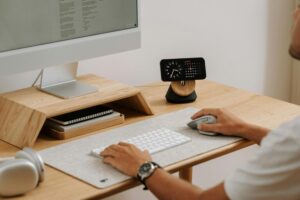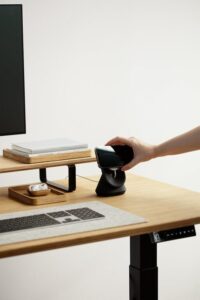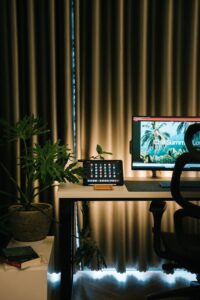
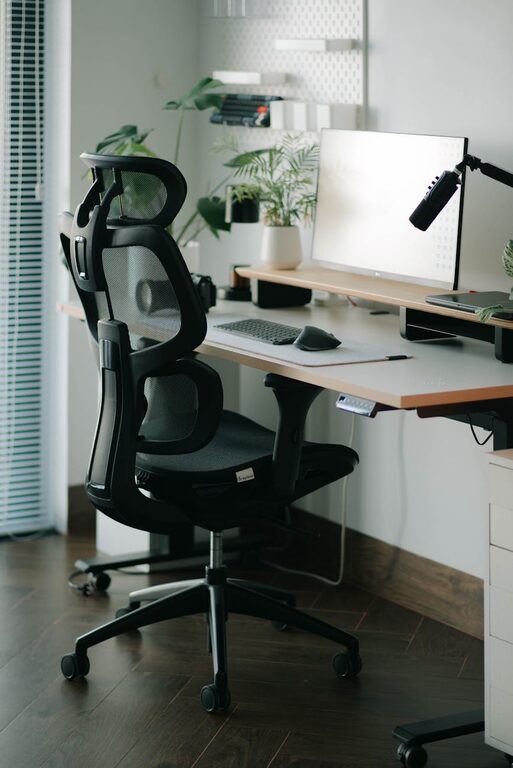
Creating a comfortable and productive home office space is essential for anyone working remotely or managing tasks from home. A well-designed workspace can improve focus, reduce stress, and make your workday more enjoyable. Whether you have a dedicated room or just a small corner, these tips will help you set up an office that suits your needs.
Choose the Right Location
Finding the best spot for your home office is the first step. Ideally, choose a space that is quiet, has natural light, and is free from distractions.
– Natural Light: Position your desk near a window to take advantage of daylight. Natural light helps reduce eye strain and boosts mood.
– Quiet Area: Look for a spot away from noisy parts of the house. This can improve concentration and reduce interruptions.
– Space Availability: Ensure you have enough room for your computer, paperwork, and any equipment you need without feeling cramped.
Invest in Ergonomic Furniture
Comfort is key when you’re sitting for long hours. Ergonomic furniture can prevent discomfort and long-term health issues.
– Adjustable Chair: Choose a chair that supports your lower back, encourages good posture, and is height-adjustable.
– Desk Height: Your desk should allow your elbows to rest at a 90-degree angle when typing. Adjustable desks or standing desk options can be great additions.
– Footrest and Accessories: If your feet don’t touch the floor comfortably, use a footrest. Also, consider ergonomic keyboards and mouse pads to reduce strain.
Organize Your Workspace Efficiently
A clutter-free space encourages focus and productivity. Use organizational tools to keep everything in order.
– Storage Solutions: Use shelves, drawers, or filing cabinets to store paperwork and office supplies.
– Cable Management: Tidy up cables with clips, boxes, or sleeves to avoid tangles and distractions.
– Desk Accessories: Keep only essential items on your desk to create a clean and efficient workspace.
Use Proper Lighting
Good lighting reduces eye strain and helps maintain your energy levels throughout the day.
– Combine Lighting Sources: Use a mix of natural light, overhead lighting, and task lighting such as desk lamps.
– Avoid Glare: Position screens and lights to reduce glare and reflections.
– Adjust Brightness: Choose lamps with adjustable brightness or color temperature to suit different times of day.
Personalize Your Space
Adding personal touches can make your home office more inviting and motivating.
– Decor: Use plants, artwork, or photos to brighten up your space.
– Colors: Choose calming or inspiring colors for walls or accessories that help you feel relaxed or energized.
– Comfort Items: Consider a cozy blanket, cushion, or even a small diffuser with your favorite scent.
Establish Boundaries and Routines
Separating your work from your personal life is important when working at home.
– Clear Start and End Times: Define your work hours to avoid burnout.
– Dedicated Work Zone: Use your office space only for work to mentally separate business and leisure.
– Break Areas: Take breaks away from your desk to refresh your mind and body.
Equip Your Home Office with Technology
Having reliable tech tools improves efficiency and communication.
– High-Speed Internet: Ensure your connection is fast and stable to prevent disruptions.
– Quality Headphones or Speakers: Useful for calls and focus when working in busy environments.
– Backup Power: Consider a UPS (uninterruptible power supply) or surge protector to prevent data loss during outages.
Maintain Cleanliness and Comfort
Regular cleaning and good air quality contribute to a healthy workspace.
– Daily Tidying: Spend a few minutes at the end of each day to organize your desk.
– Air Quality: Open windows, use air purifiers, or add plants that help purify indoor air.
– Temperature Control: Keep the room at a comfortable temperature to avoid distractions caused by being too hot or cold.
—
By following these tips, you can create a home office space that supports your well-being and maximizes productivity. Remember that your home office should adapt to your personal workflow and preferences, so feel free to experiment and make changes until you find what works best for you. Happy working!